WebKiosk
 WebDesk
 MultiTime
SpamOut 1.0 - Mac version
Delete spam automatically
Automatic spam removal for Mac mailboxes
The biggest strength of SpamOut: simplicity and reliability.
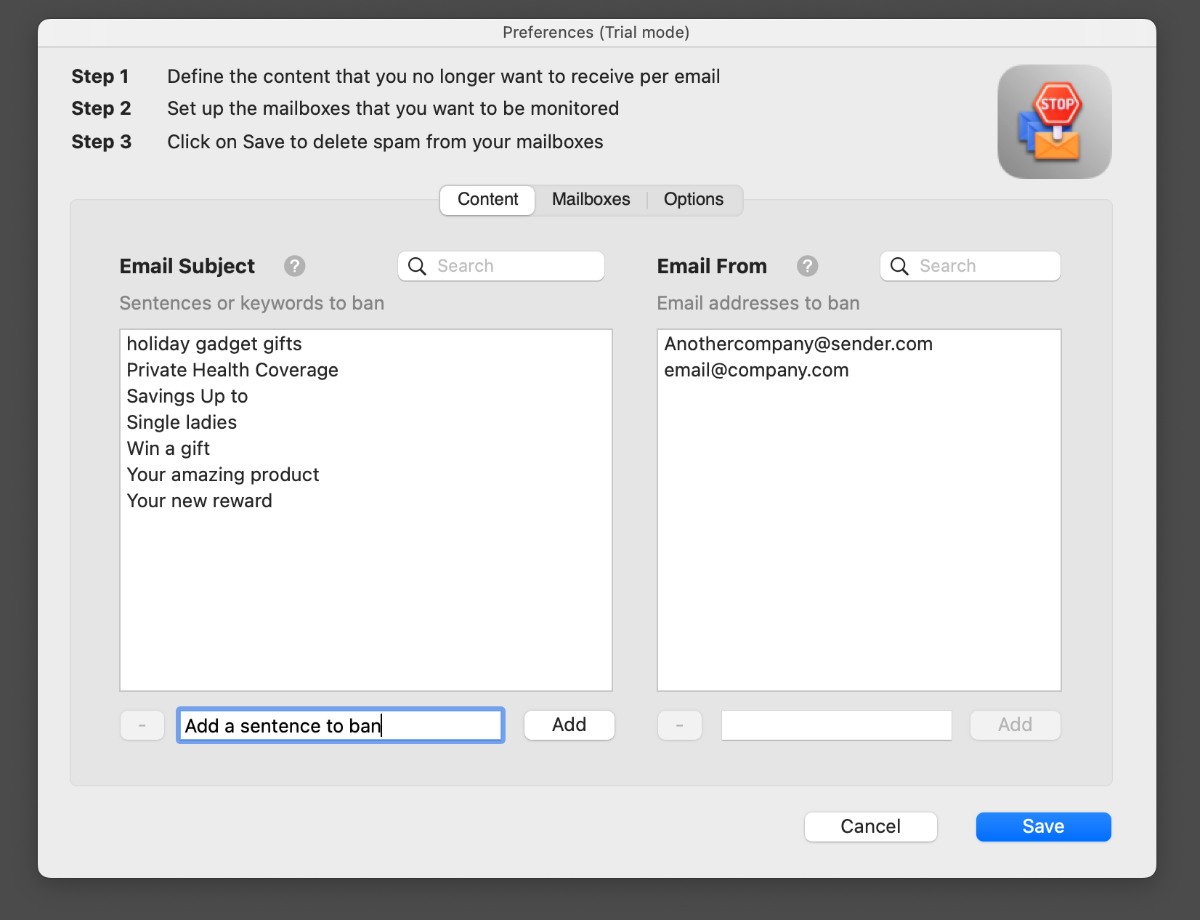
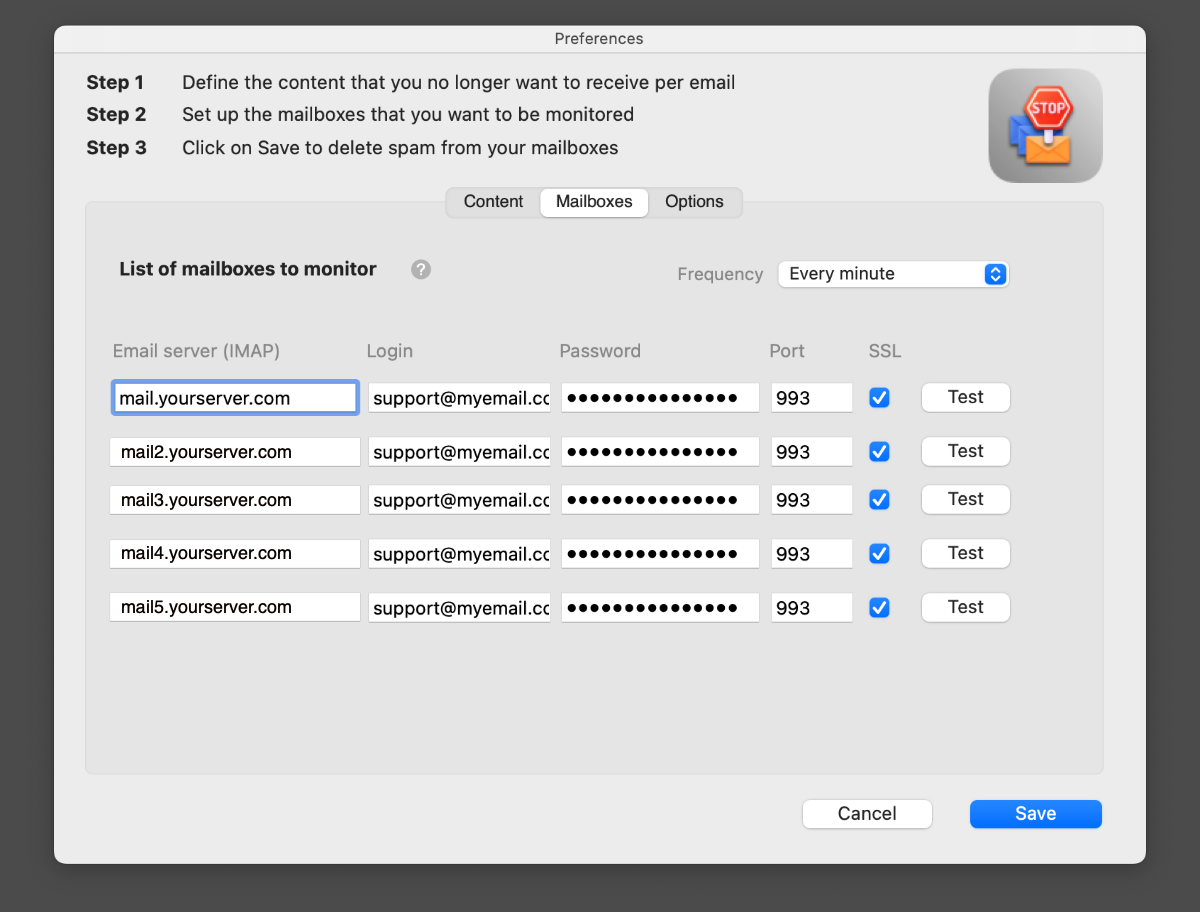
A solution optimized to remove spam from your email communications. You can manage up to 5 mailboxes, setup the content or email addresses to ban.
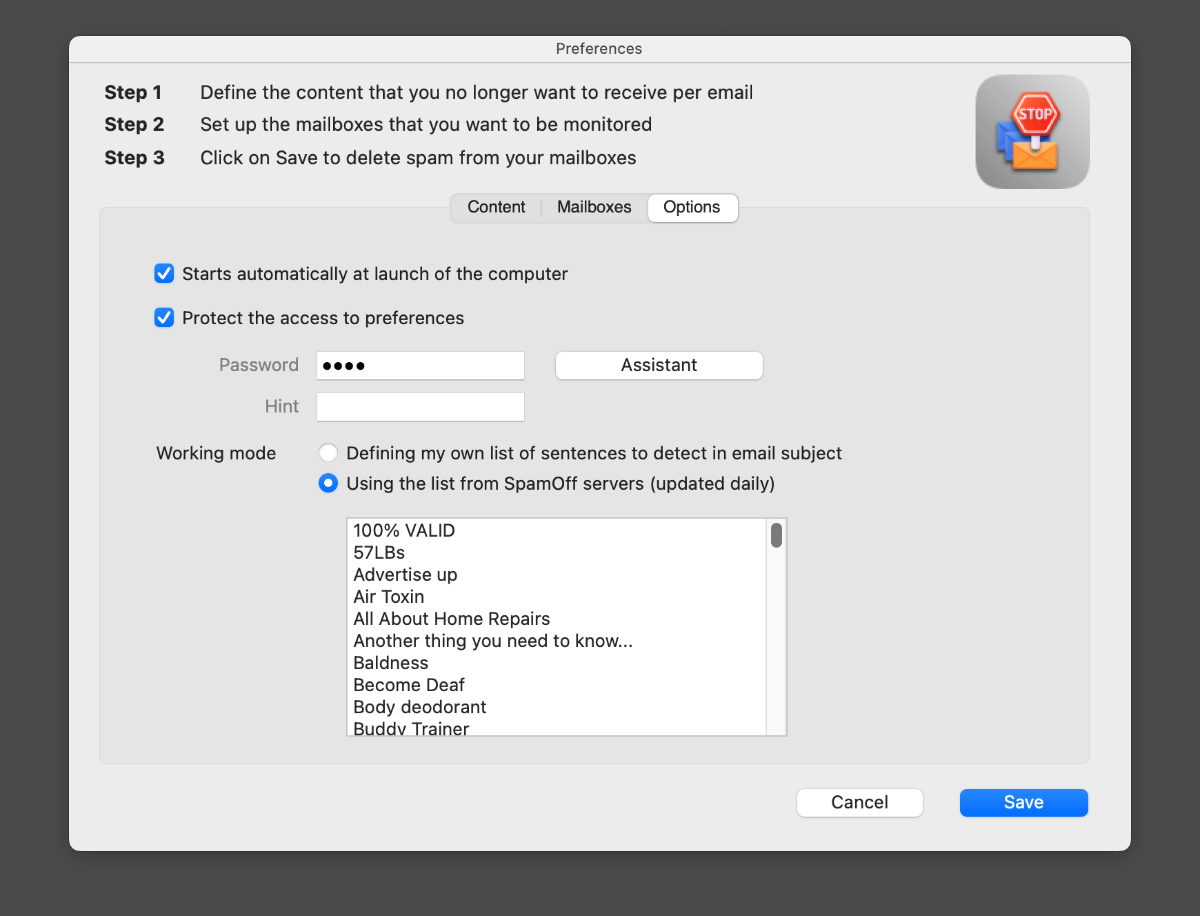
Built for the modern IMAP protocol (pop3 mailboxes are not supported). There are two ways to use the app: you can setup your own lists or use SpamOut servers service.
- Trial version Buy
Version 1.0. Requires macOS 10.12 or later versions. Universal binary optimized for Intel and Apple Silicon processors. Notarized by Apple secure service to prevent malwares.


Easy to try, easy to buy
SpamOut is very affordable. We have amazing discounts based on quantities. After downloading and playing with the trial version, you can unlock all features by purchasing a license.
NOTE: you are limited to 10 sentences or email addresses with the trial version.
For the best results, we recommend MacWeb.com
| Features | SpamOut for Mac | SpamOut for Windows | SpamOut for Linux |
|---|---|---|---|
| Platform | Mac | Windows | Linux |
| Compatibility level | macOS 10.12 or + | Windows 10 or + | Ubuntu or Mint |
| Optimized | Ventura | Windows 11 | Mint Cinnamon 21 |
| Email protocol | IMAP | IMAP | IMAP |
| Monitor up to 5 mailboxes | |||
| Manage sentences, words to ban | |||
| Manage email addresses to ban | |||
| Password for preferences | |||
| Optional sentences list provided by SpamOut | |||
| Install on your computer or a server | |||
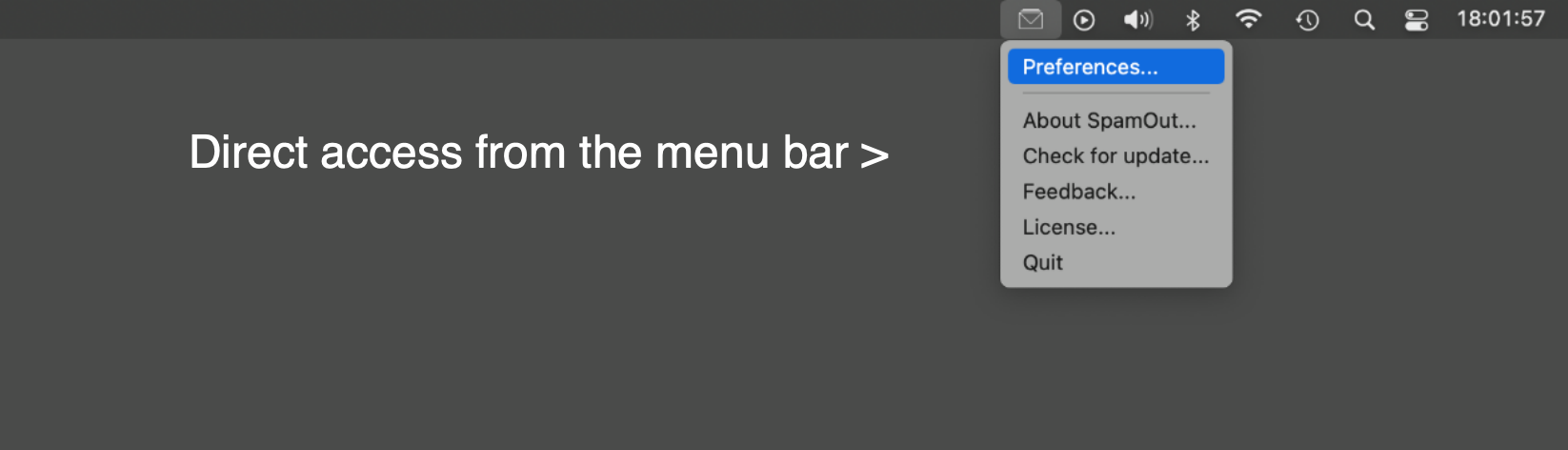
| Direct access from the menu bar |
Buy for Windows
$29
One time paymentNo recurring subscription
Buy for Linux
$29
One time paymentNo recurring subscription
Buy for Mac
$29
One time paymentNo recurring subscription








| Number of licenses | 2 | 3 to 10 | 11 to 50 | 51 and + |
|---|---|---|---|---|
| Discount in percentage | -20% | -35% | -45% | -55% |
Still having some questions?
Check Frequently Asked Questions. We are adding new topics very often.
SCREENSHOTS
Click on a picture to see a larger view
SpamOut — Frequently Asked Questions
SpamOut is a Mac app designed to delete spam automatically from your email communications. Its biggest strength is simplicity and reliability: you can manage up to 5 mailboxes and set up the content or email addresses you want to ban.
SpamOut is built for the modern IMAP protocol. POP3 mailboxes are not supported. You can monitor up to 5 mailboxes and manage the sentences, words and email addresses you want to ban.
There are two ways to use the app: you can set up your own lists of sentences, words and email addresses to ban, or you can use the optional sentences list provided by the SpamOut servers service.
Yes. A trial version is available to download, and you can unlock all features by purchasing a license. The trial version limits you to 10 sentences or email addresses. Licenses are a one-time payment with no recurring subscription, and quantity discounts are available.
SpamOut version 1.0 requires macOS 10.12 or later. It is a universal binary optimized for both Intel and Apple Silicon processors, and it is notarized by Apple's secure service to prevent malware.
Yes. You can use SpamOut on any computer or any server. For the best results, we recommend MacWeb.com. SpamOut is also available for Windows and Linux, and a license is only compatible with the selected operating system.