EasyGantt 4.2 — Plan Projects Visually
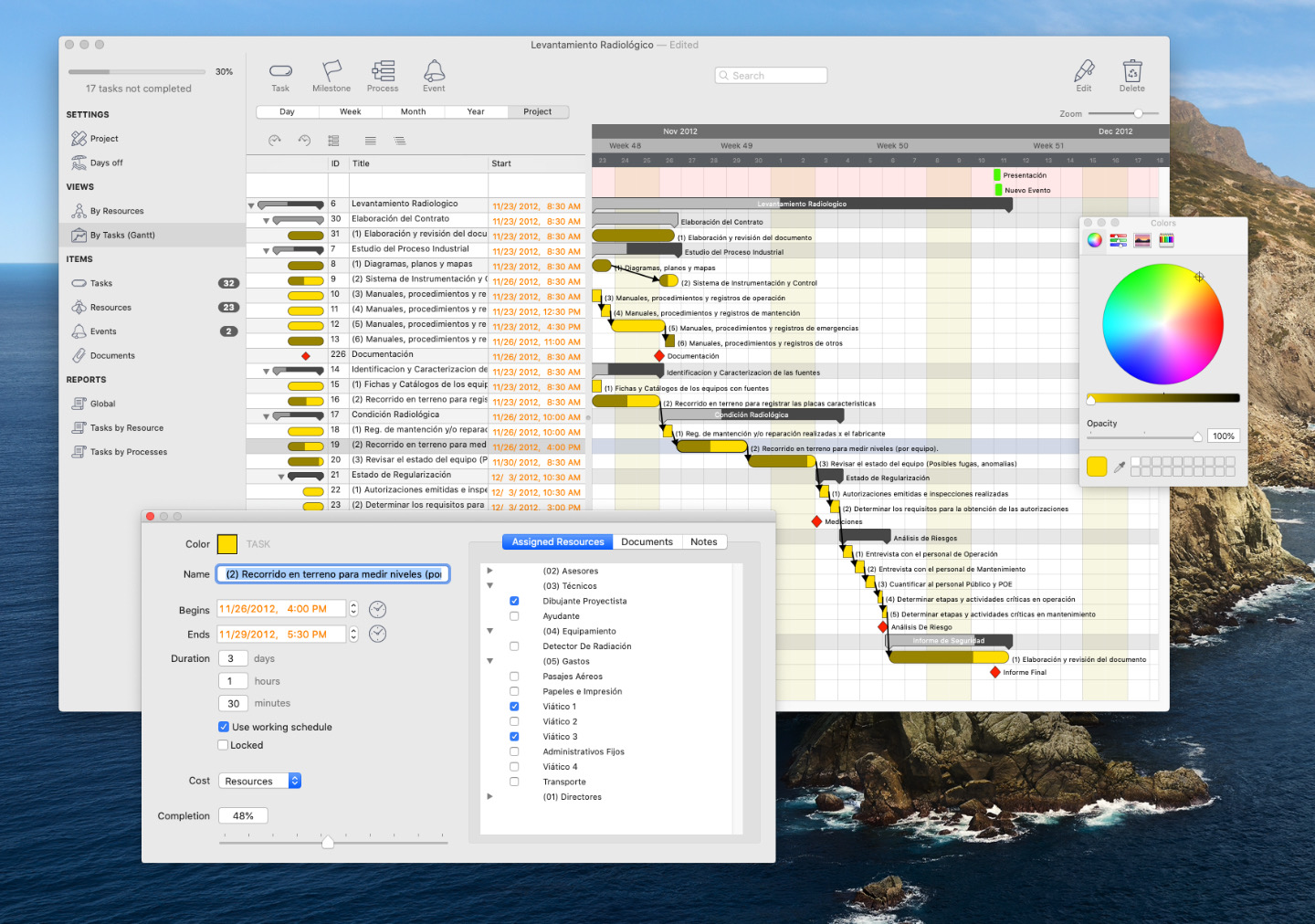
EasyGantt stands out for one simple reason: it keeps project planning straightforward and dependable. Professionals across the globe rely on it because they can organise virtually any project within minutes. First released in 2010, the app has earned the trust of hundreds of thousands of users. You can build clear Gantt charts without wrestling with complicated tools, since the focus stays on the features project managers genuinely need — and the resulting charts look great. As the saying goes, a picture is worth a thousand words.
Earlier releases of this app were known as xPlan and MacPlanner.


Try the Trial Buy a License View Changelog Download Examples
Exploring sample projects is a great way to understand what the app can do. Version 4.2 runs on macOS 10.12 and later, ships as a universal binary tuned for both Intel and Apple Silicon machines, and is notarised by Apple's security service to guard against malware.
Simple to Test, Simple to Own
EasyGantt is priced to stay accessible, so users of earlier versions can comfortably move up. Generous volume discounts are available. Once you have downloaded the trial and explored it, a purchased license unlocks every feature.
Mac App Store pricing varies by country and does not include quantity discounts.








Capabilities That Cover Any Project
Whether you are an architect, a wedding planner or a project manager, EasyGantt adapts to your work — and new use cases keep surprising us.






- Manage any project — architects, wedding planners and project managers all find a fit.
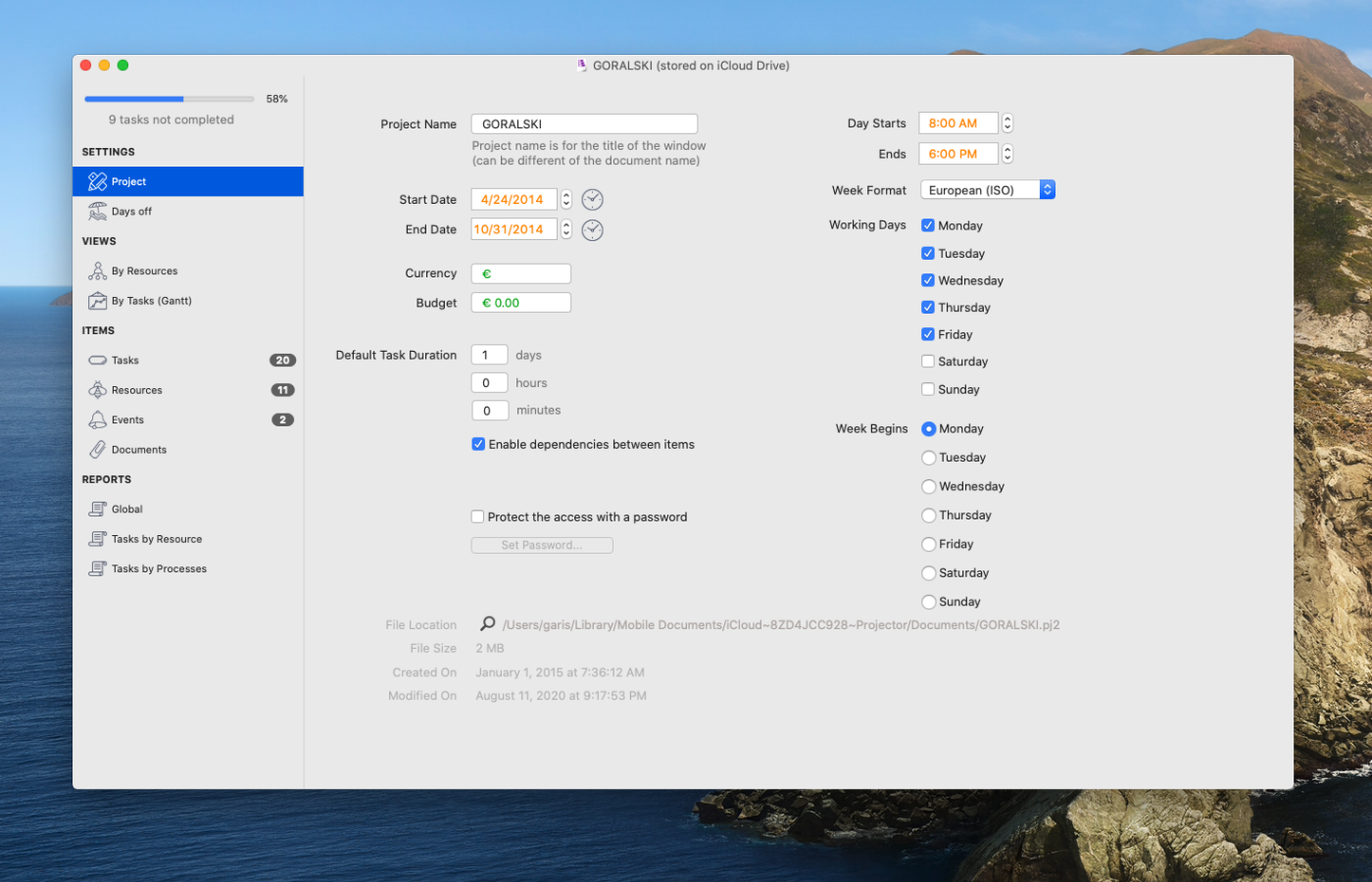
- Easy to use — only the most commonly used project management features, kept intuitive and enjoyable.
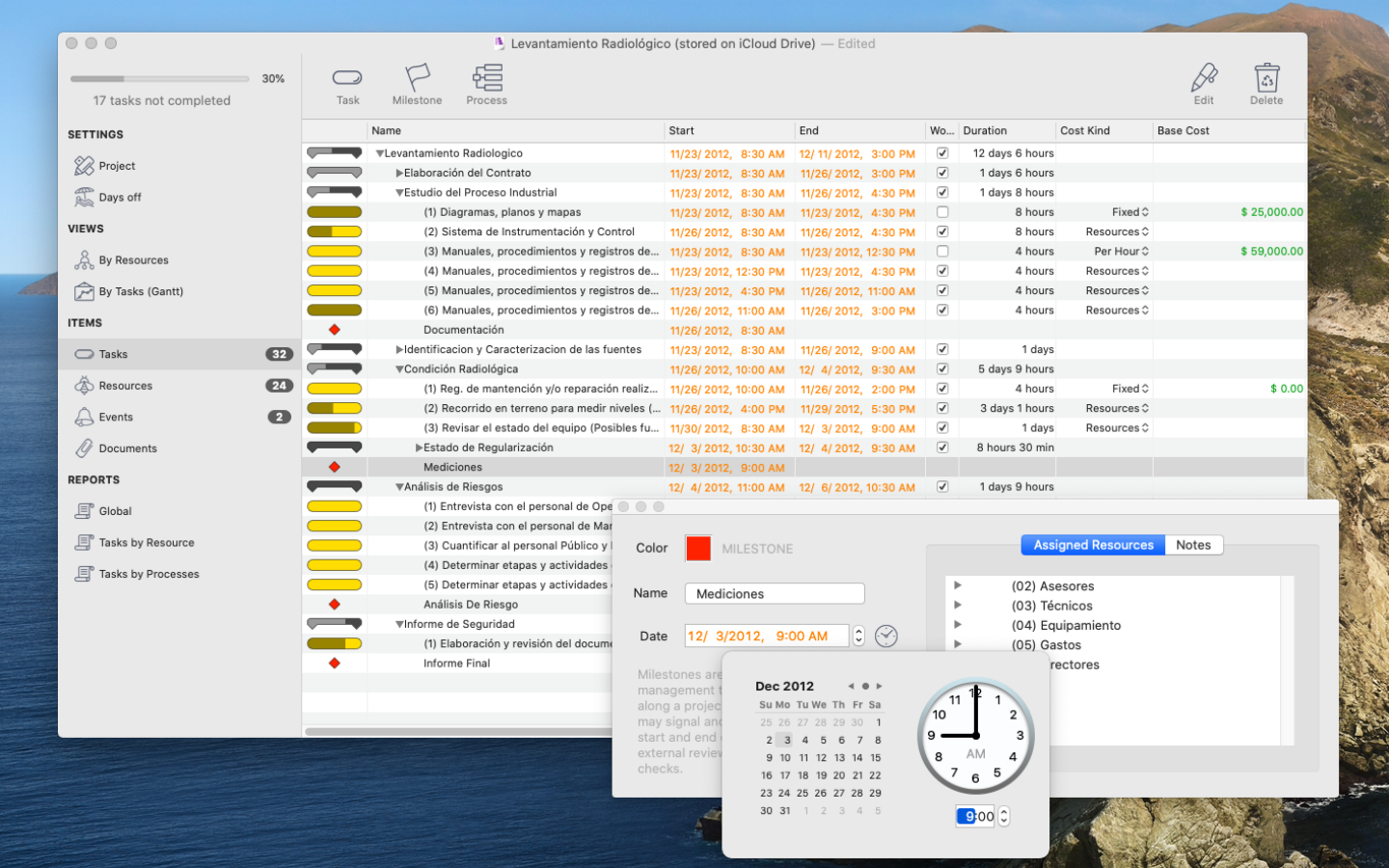
- Tasks and milestones — create them and link tasks with dependencies simply by drawing a connection in the Gantt view.
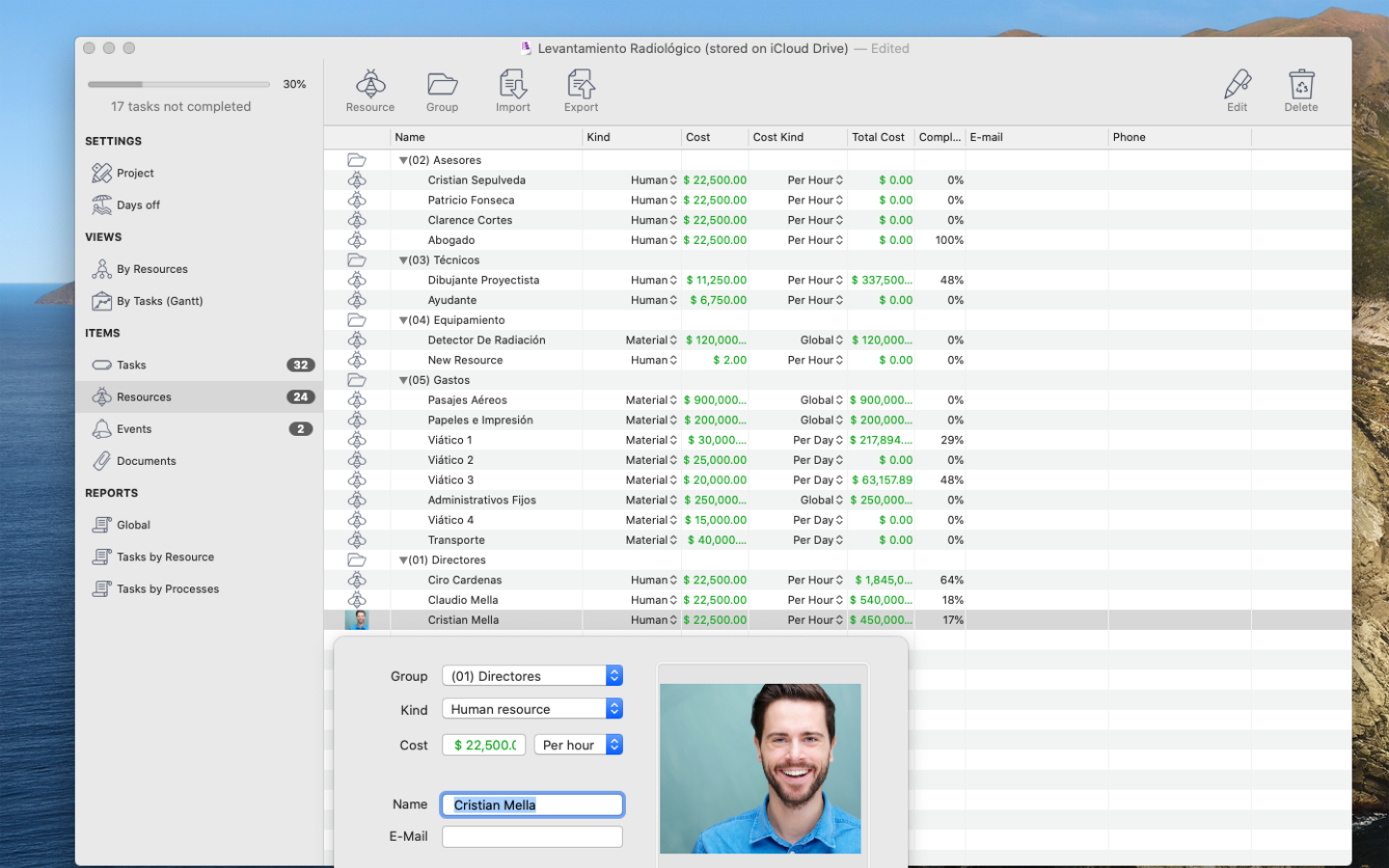
- Manage resources — assign tasks to people or materials, whatever type of resource you need.
- Manage the cost — set a fixed cost or a resource-based cost per task, and even assign a project budget.
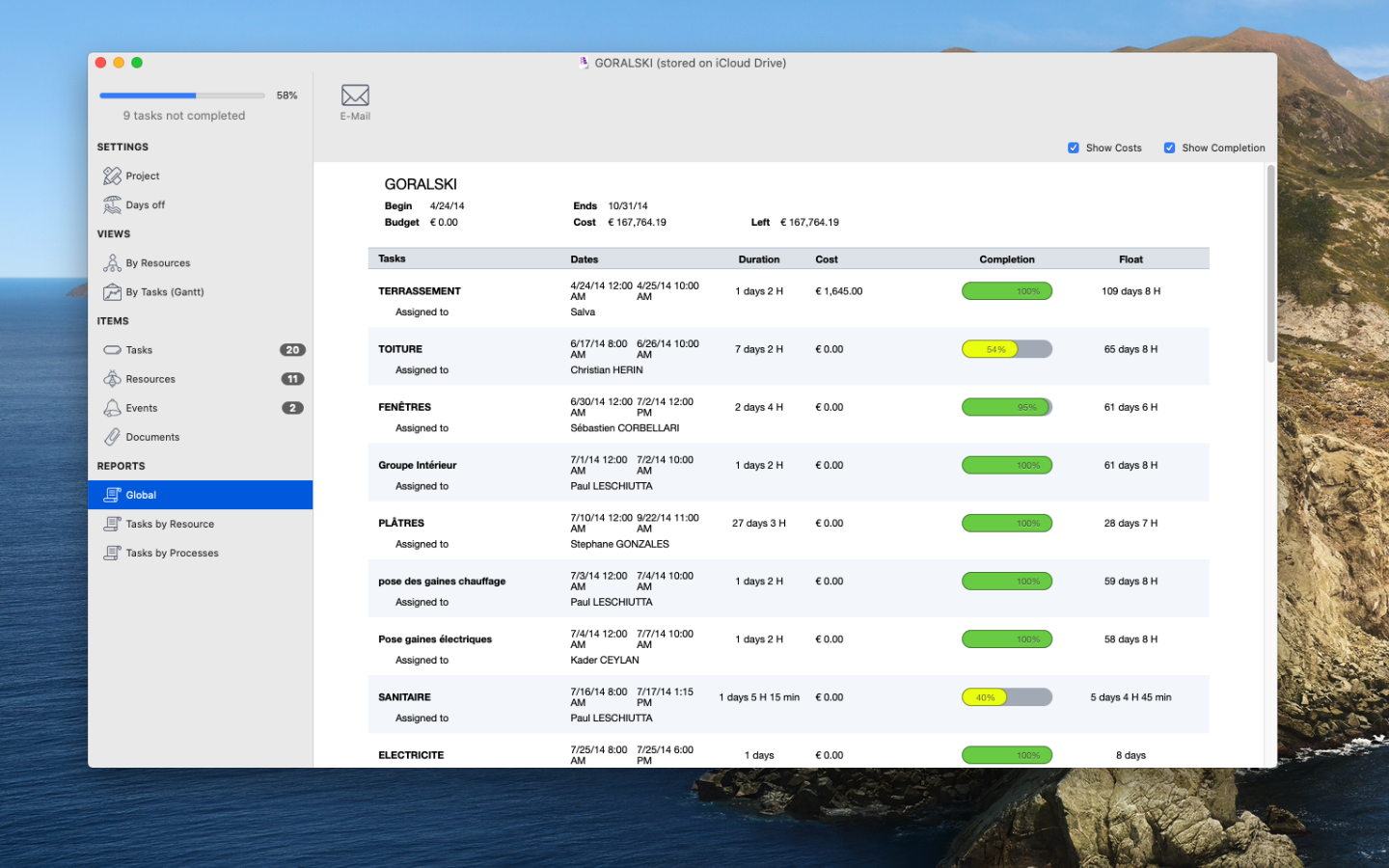
- View reports — a dedicated report view surfaces the key project information, ready to share by email.
Trusted Around the World
Our users span the globe and appreciate EasyGantt for many reasons — above all, the ability to get any project under control in just a couple of minutes. A few examples:












Volume Discounts
Licence quantities are rewarded with progressively larger savings.
- 2 licences — 20% off
- 3 to 10 licences — 35% off
- 11 to 50 licences — 45% off
- 51 licences and above — 55% off
Feature List
- Platform: Mac
- Operating system: macOS 10.12 or later
- Optimised for Intel and Apple Silicon
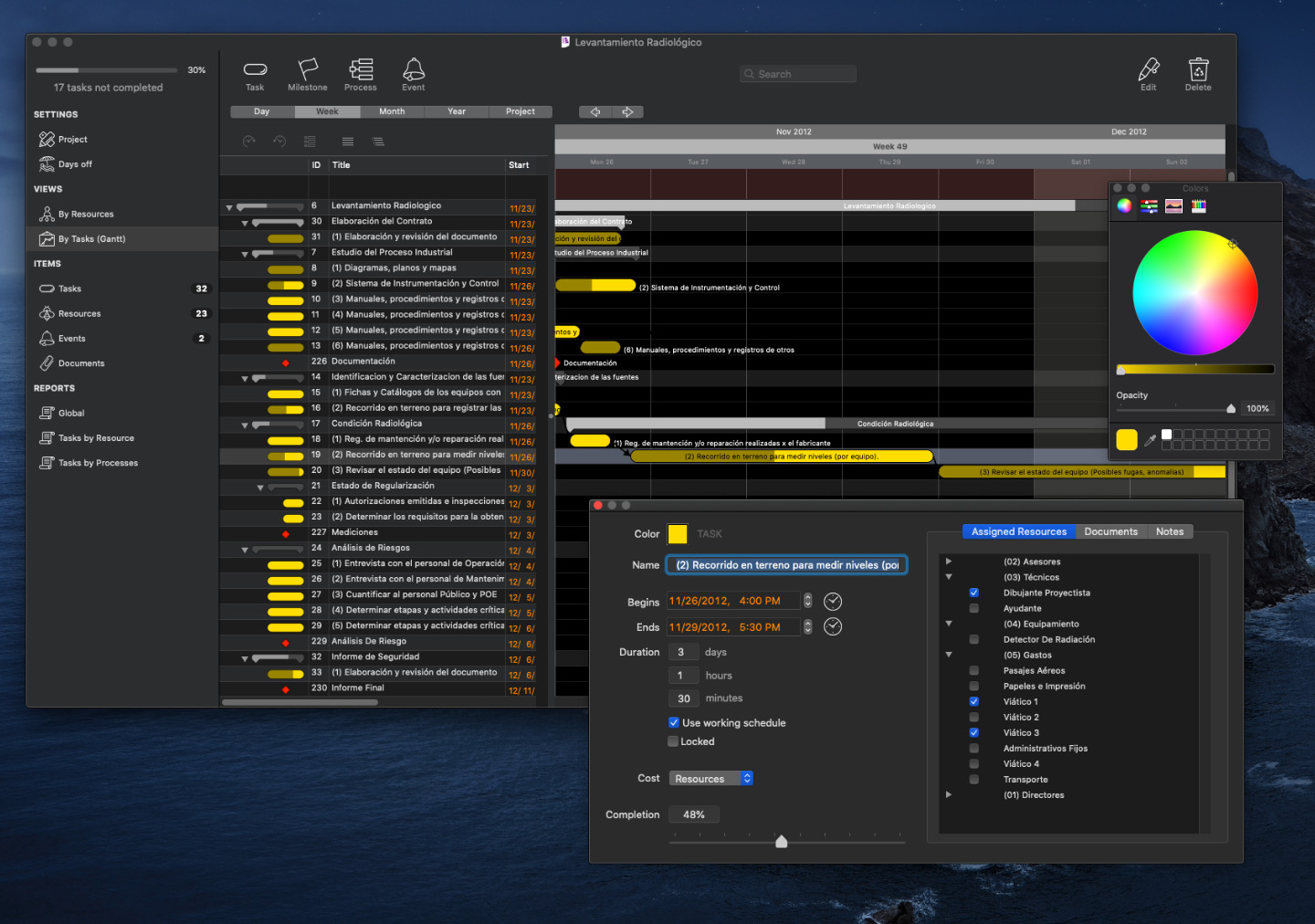
- Full dark mode support
- Tasks, groups of tasks (called processes) and milestones
- Percentage of completion for tasks and task groups
- Resource assignment (people and materials)
- Cost management (budget and cost per task)
- Report view with multiple options
- Gantt view with browsing options
- Events management (special line on the calendar)
- Critical path display
- Dependencies between tasks with four options
- Attach documents to tasks (a copy is added to the project)
- Resources on the calendar view for easy assignment overview
- Compatible with Microsoft Project (XML format)
Still Have Questions?
Browse our Frequently Asked Questions — new topics are added regularly.
Screenshots
Click any picture to open a larger view.
Explore More
Home Mac Solutions Windows Solutions Linux Solutions Development Services News Contact Us App Licenses Sign In Sign Up MacPlanner


Twitter Facebook YouTube MacVitamin Profile xProline


© 2022 xProline LLC - xproline.io
Newsletter: the xProline Newsletter is sent monthly, and you can unsubscribe at any time.